DHS Trusted Tester Methodology • Section 508 • WCAG
DHS 508 Trusted Tester accessibility audits, manually verified, not just scanned.
Our DHS Certified Trusted Tester team brings hands-on experience in accessibility auditing and remediation. We test real workflows using keyboard and assistive-technology patterns, and we deliver clear, prioritized findings. We’re also certified UX designers and developers with decades of experience in both the private sector and government, so we can quickly identify defects and provide the code recommendations needed to help your applications achieve Trusted Tester certification.
Trusted Tester Results
508 & WCAG Accessibility & Remediation Specialists
Need a rapid audit before release? Ask about go-live readiness testing.
What we do
508/WCAG testing, documentation, and remediation support
Clear deliverables. Practical fixes. Fast response.
Accessibility Audits
Manual and automated testing aligned with Section 508 and WCAG, with clear severity ratings and prioritized fixes.
Remediation Guidance
Code-level recommendations, patterns, and examples your dev team can apply quickly & consistently.
VPAT / ACR Support
Evidence collection and documentation support to help teams respond to procurement & RFP requirements.
Team Enablement
Custom Style guides and accessible component patterns to resolve defects and easily maintainable.
Get a credible accessibility plan in days—not weeks.
Share your URL, deadline, and platform. We’ll recommend the fastest path to compliance and usability.
How we test
508 & WCAG Accessibility & Remediation Specialists
We test the things automated tools miss: semantics, keyboard behavior, focus, and real workflows. AI tools can be helpful for catching obvious issues, but they are far from a complete accessibility strategy. In practice, AI agents work best when they support specific tasks in a workflow and pass results to the next agent, rather than trying to find every possible issue in one pass. Effective remediation still requires someone who understands code, Section 508, and WCAG, and who can recommend solutions that are both technically correct and practical for the team to implement. AI can support this process, but it cannot replace the expertise needed to deliver a complete, accurate, and actionable 508 assessment and remediation plan.
To support development teams, we create accessibility-focused style guides and component patterns that define headings, color contrast, focus states, form controls, error handling, and interactive elements that meet Section 508 and WCAG requirements. As part of our comprehensive reviews, we provide tested HTML, CSS, and component snippets so developers can correct issues quickly and consistently. A combination of accurate testing, hands-on remediation, and clear implementation guidance help organizations resolve current accessibility problems while building maintainable, accessibility-first solutions.
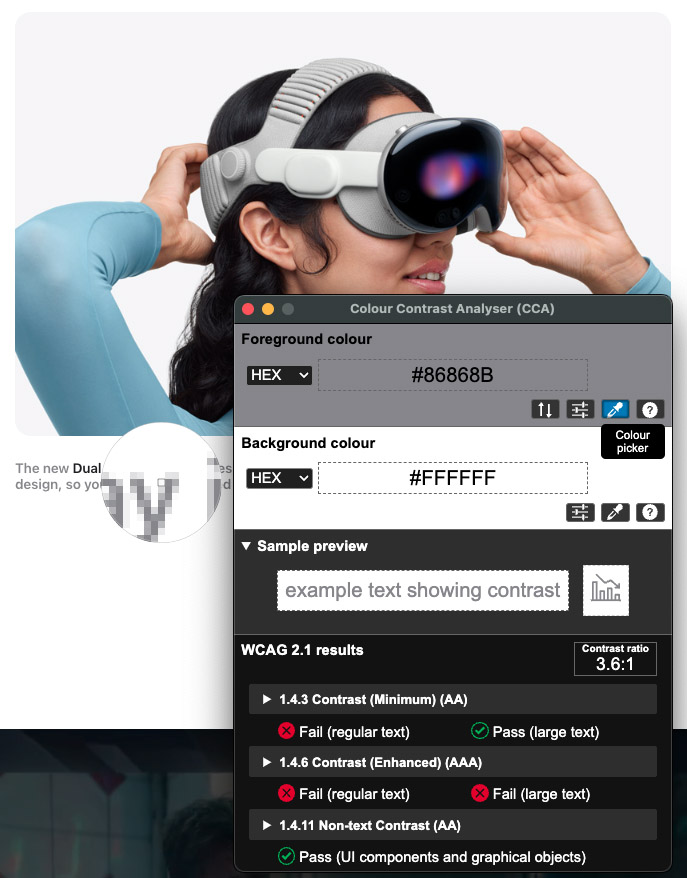
Section 508 & WCAG
- Keyboard access, focus order, and visible focus
- Forms: labels, instructions, errors, and status messages
- Images and non-text content (alt text and equivalents)
- Headings, landmarks, lists, tables, and structure
- Color contrast and sensory characteristics
- Video/audio: captions and alternatives
- Parsing, ARIA usage, and accessible names
Tools
ANDI, Color Contrast Analyzer (CCA), WAVE, JAWS, & browser DevTools.
AT Validation
Keyboard + assistive technology workflows to confirm real usability.
Section 508 Compliance Testing Includes
- Conforming Alternate Version & Non-Interference
- Auto-Playing / Auto-Updating Content
- Flashing
- Keyboard Access & Focus
- Forms
- Links
- Images
- Adjustable Time Limits
- Repetitive Content
- Content Structure
- Language
- Page Titles, Frames, and iFrames
- Sensory Characteristics & Contrast
- Tables
- CSS Positioning
- Pre-Recorded Audio/Video/Animations
- Synchronized Media
- Resize Text
- Multiple Ways
- Parsing
What is 508 Compliance?
Section 508 of the Rehabilitation Act requires Federal agencies to ensure electronic and information technology is accessible to people with disabilities. This includes accessibility for assistive technologies such as screen readers and keyboard navigation.
What is a VPAT?
A VPAT (Voluntary Product Accessibility Template) helps buyers understand how a product meets accessibility standards (often resulting in an ACR). VPATs are frequently required for procurement and RFP responses.
Resources
AI & Human-Centered Design guide
A practical resource for building accessible, user-centered web applications.
AI & Human-Centered Design (HCD) for Government Agencies
This guide helps teams apply Human-Centered Design and accessibility practices while using AI prompts to accelerate planning, mockups, and prototypes. It is designed to help teams integrate AI and HCD into real projects so digital services are user-centered, accessible, and effective from day one.
The guide covers core HCD processes, Section 508 and ADA considerations, and practical ChatGPT/AI techniques, including creative prompt strategies for quickly generating HTML, CSS, and JavaScript for mockups and working prototypes. It also includes a sample style guide focused on UI, UX, and HCD best practices for typography, color, and components, giving teams a head start on designing modern, intuitive, and compliant government web applications.
View the PDF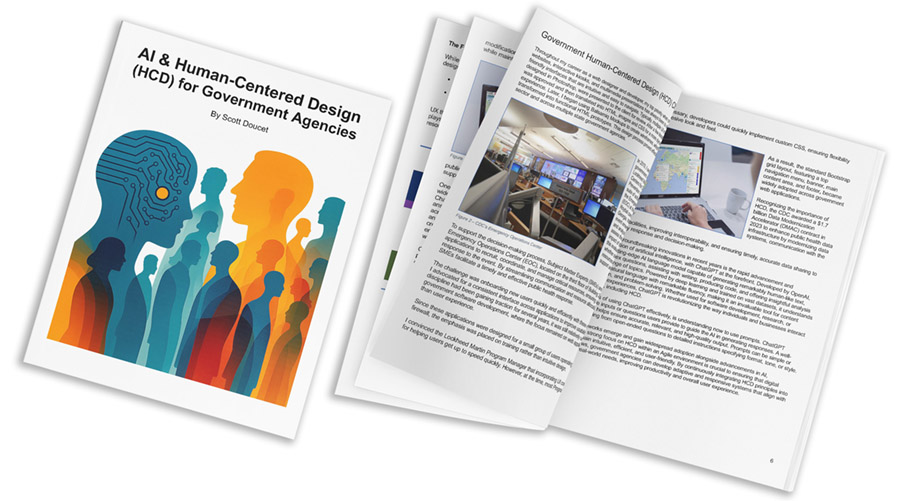
Need help modernizing accessibility and UX together? Let’s talk.
 508Tutorials.com
508Tutorials.com
We’re Section 508 & WCAG accessibility experts, and we created 508Tutorials.com to help new testers, developers, and teams learn practical accessibility testing skills using DHS Trusted Tester methodology. With over 60 video courses, we make accessibility simple and teach you to think like a DHS Trusted Tester. Access to all training videos is free. As you move through the lessons, you’ll build confidence, deepen your understanding, and learn how to apply your skills in real-world scenarios. Alongside the core curriculum, you’ll get exclusive insights and proven strategies to help you take, and PASS the exam with confidence.
- Clear, real-world explanations & fixes (no jargon soup)
- Trusted Tester-style workflows: keyboard, focus, semantics, forms, and patterns
- Tooling + techniques: ANDI, Color Contrast Analyzer (CCA), JAWS, WAVE and DevTools
Contact
Let’s work together
Tell us what you need, your timeline, and what platform you’re testing.
Contact Us
We typically reply within one business day.
-
Emailinfo@508tester.com
-
Service areaBased in Atlanta, Georgia and serving state, federal and fortune 500 businesses nationwide
-
NAICS codes541511 • 541512 • 541519